Why Your Beautiful Landing Page is Killing Your Launch (And How to Fix It)
The Launch Day Disaster
You have finally finished your project. The code is polished, the bugs are fixed, and you have spent the last few days designing a stunning landing page to showcase your work. You hit publish, share the link across your social media channels, and watch the traffic roll in.
But then, you check your analytics. The bounce rate is sitting at a terrifying 85%. People are clicking your link, but nobody is signing up, downloading, or buying. You start questioning your product, your copywriting, and your entire idea.
The Silent Rejection You Can’t See
Before you rewrite your entire sales pitch, you need to look at what is actually happening on your user’s screen.
Most of your traffic comes from mobile devices on 3G or 4G networks. That gorgeous, high-resolution hero image or the detailed UI mockup you placed at the top of your landing page is a 4MB file. While it loads instantly on your local development machine or your high-speed home Wi-Fi, it takes a agonizing five to seven seconds to load on a standard mobile connection.
In the digital world, seven seconds is an eternity. Modern users will not stare at a blank white screen waiting for your graphics to render. They will simply close the tab. You didn’t lose the customer because your product was bad; you lost them because your digital storefront’s door was too heavy to open.
The Final Polish: Securing the Conversion
If you want your landing page to actually convert, you have to ruthlessly optimize your assets before hitting the launch button. Every visual element—from your product mockups to your background images—needs to be compressed, resized, and converted to a modern format.
However, right before a launch, your stress levels are high. The last thing you want to do is open heavy photo editing software or juggle three different shady online tools just to shrink a background image.
This exact launch-day friction is why the Image Studio inside CyberCraft Studio is a lifesaver. Instead of breaking your momentum, you can simply drag your massive landing page assets into the studio. With one click, it automatically scales them down, converts them to WebP, and compresses the file size to under 100KB.
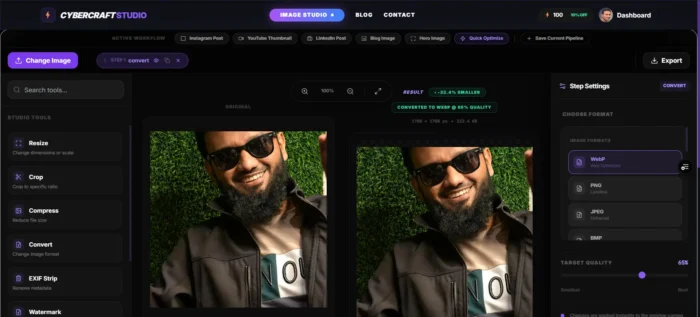
You get the exact same beautiful, crisp visuals for your landing page, but your site now loads in less than a second. Keep your visitors on the page, and let your product actually speak for itself.